What your account can do
2 min read · By Stefan Köhn
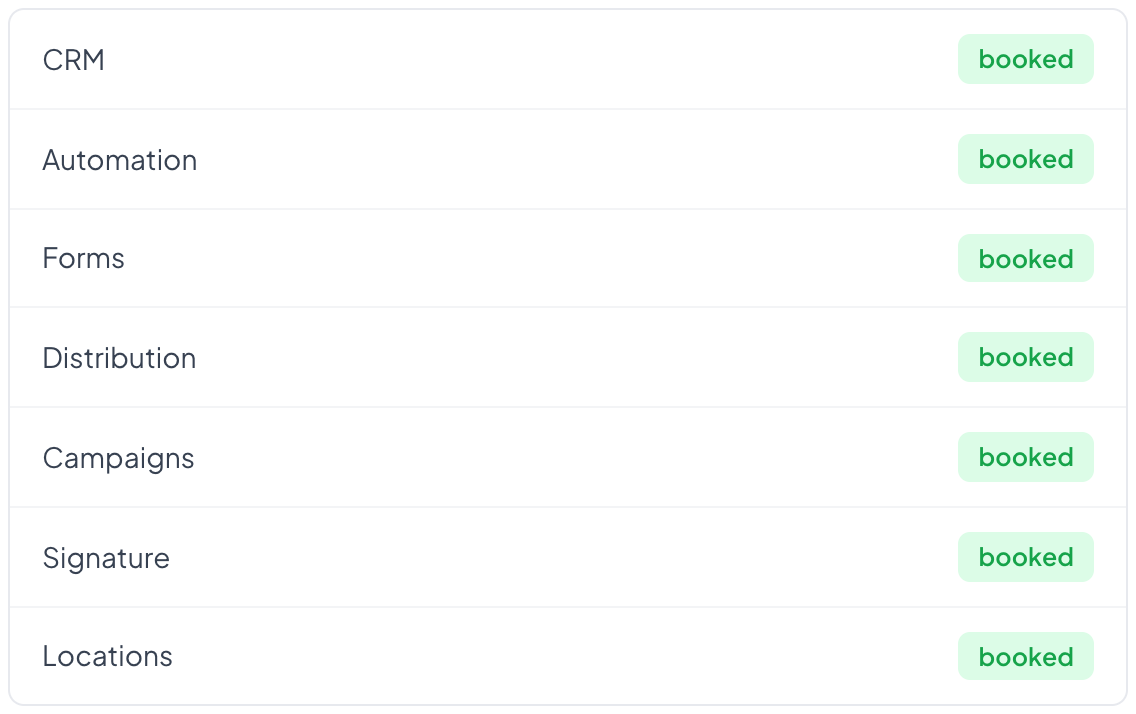
The core is always there: records, fields, documents, team, API. Everything beyond that is a module and booked separately. This tab shows where you stand today.
A module is a capability, not a menu entry
Seven can be booked: CRM with board and pipelines, automation, campaigns, distribution, signature, forms and locations. Automation has no page of its own and is still a module, because it is switched on separately.
What is not booked does not exist
A module that is not booked does not appear in the navigation, its pages answer with not found, its steps are missing from the automation catalogue, and its help articles are not in the directory. Nothing is forbidden; it is not there at all.
Cancelling stops running work too
The barrier is checked not only when a page opens but before every step of an automation. An automation created while the module was still booked stops at the step belonging to the cancelled module. What already happened stays untouched.
Booking does not happen here
This tab shows the state and tells the truth about it. Switching happens from outside, because a booking decides between paid and unpaid. If an administrator could switch themselves on, the display would be worthless.
Step by step
- Open Settings, Account, the Modules tab.
- Read off what is booked and what is not.
- For a change, talk to billing.
I cannot see a menu entry a colleague sees.
Then either the module or the right is missing. The two live in different places: the booking here, the rights under Roles and rights.
What happens to my data if I cancel a module?
It stays where it is. The surface disappears, the stock does not, and Retention still applies. Book the module again and everything is there.
Why is a step missing from the automation catalogue?
Because it belongs to a module that is not booked. Distribute record, for instance, belongs to distribution and does not appear without it.
Do I need the CRM to work?
No. Records, fields and the API belong to the core. Without the CRM you get the list but no board.