The list of all records
2 min read · By Stefan Köhn
Every case in your account is here, as a table. You can sort, filter, select several rows at once and decide which columns to show.
The list is always there
Records belong to the core of the application, not to the board. An account without the CRM module still takes records in through the API and needs somewhere for them to sit. With the board you use both: the list for many records at once, the Board for a look at the process.
Fields and sorting are yours
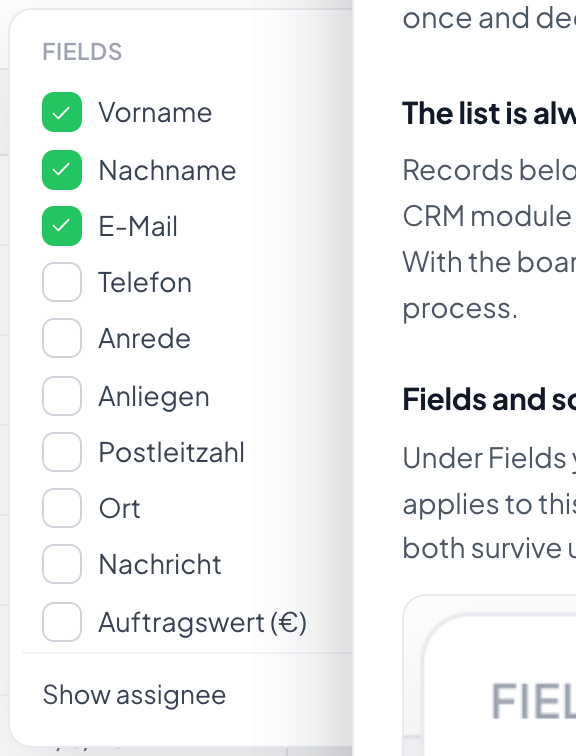
Under Fields you choose which columns the table shows. The choice is yours alone and applies to this entity, not to the whole team. Fields appear in the order set under Entities and fields, with record details such as received date or source after them. Sorting happens on the column headers, and both survive until you next open the list.
Several at once
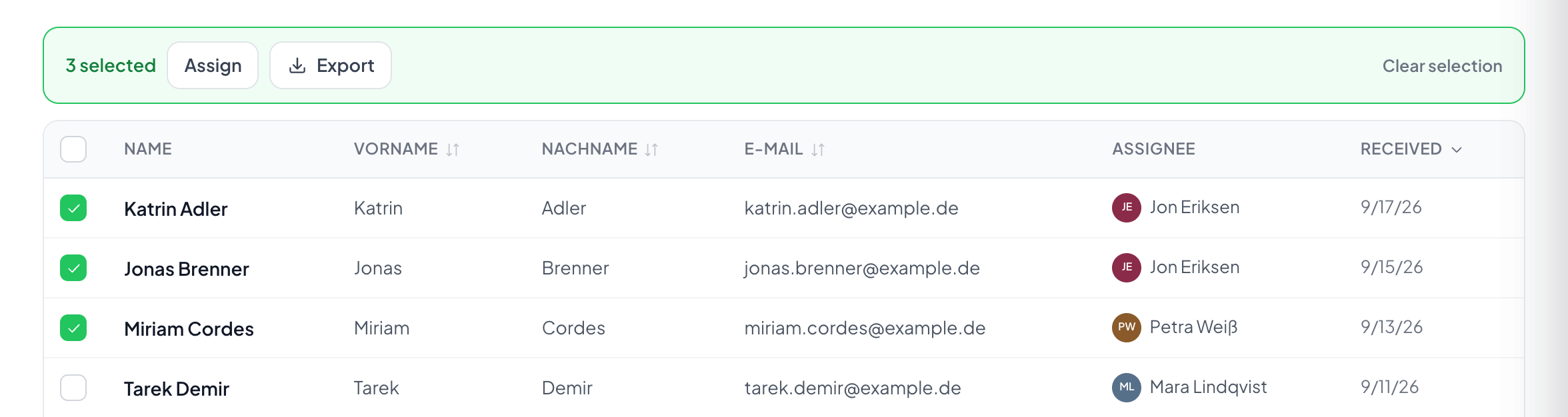
The checkboxes let you mark rows and apply an action to them: set the stage, assign, export, archive. That is why the list sits next to the board. Dragging thirty cards one by one is not a way of working.
Step by step
- Pick the entity at the top left if you keep more than one.
- Use Fields to show the columns you need.
- Narrow things down with search and filters.
- Mark rows and apply an action to them.
Why do I see fewer records than a colleague?
Visibility follows responsibility. Someone allowed to see only their own records sees fewer in the same list. What your role allows is under Roles and rights.
How do I find one particular record?
Through the search at the top. It covers the fields marked as searchable, see Field types. If it finds nothing in this entity, it points at hits in another one.
Can I export the list?
Yes, with the filters and the selection currently in force. See Export.
Where do records come from?
From the API, a connected form, or by hand through New record. Where a single one came from is shown on it under Origin.
Why is an entity already selected at the top?
Because it is the one you last worked in. The choice next to the page title applies to records, pipelines, distribution and the other pages until you change it. Picking an entity on the overview carries over as well. All entities there leaves your choice as it is.