Getting records out
2 min read · By Stefan Köhn
Records as CSV or XLSX, with the scope and columns you choose. Every export lands in the change log, along with its scope and row count.
Three scopes
The rows you marked, what the view currently shows, or every record of this entity. The second is the usual one: filters and search apply, so you hand out exactly the set you put together beforehand.
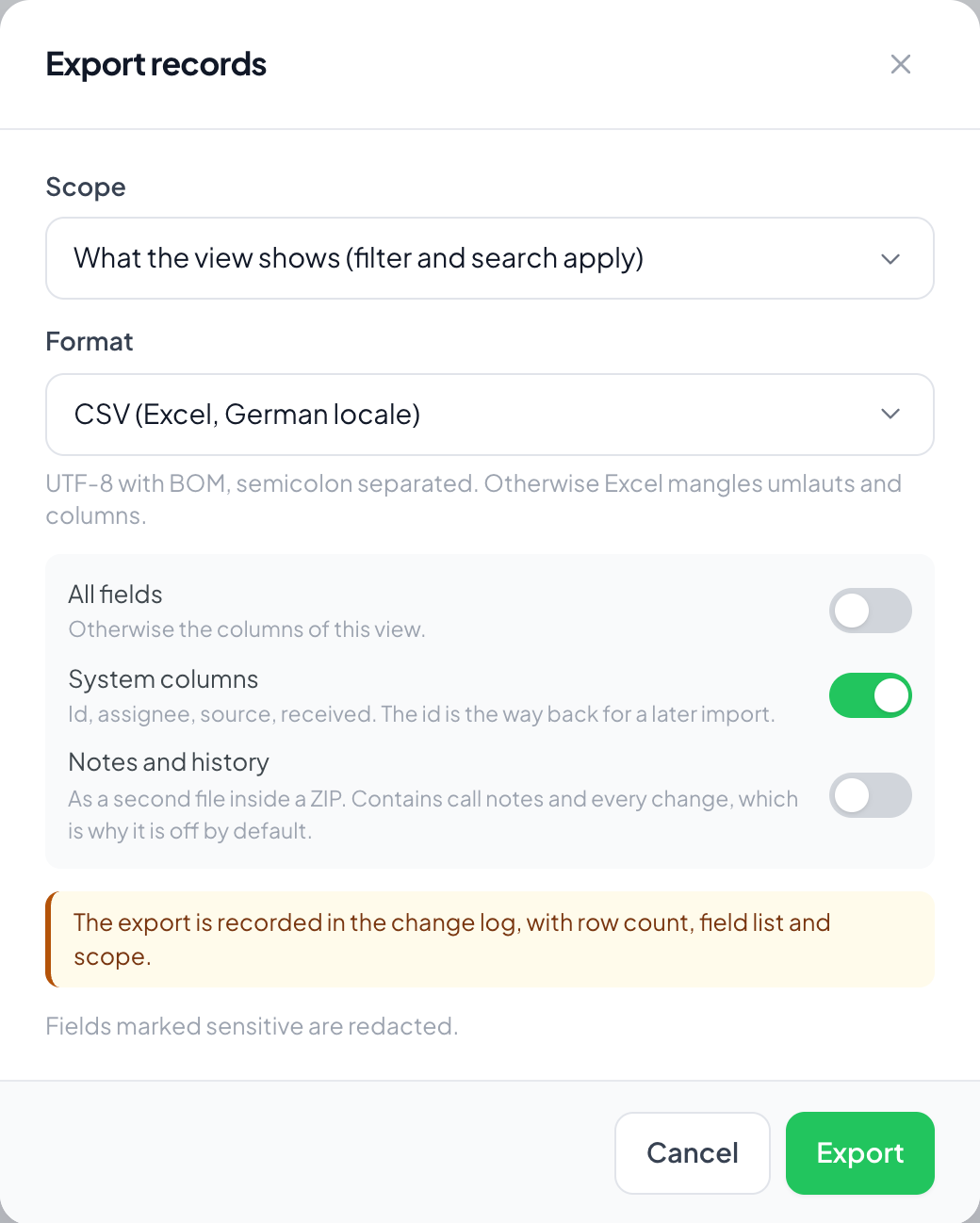
CSV or XLSX
XLSX opens in Excel without questions. The CSV is UTF-8 with a marker at the start and separated by semicolons, because otherwise Excel mangles accented characters and puts everything in one column. Anyone processing the file rather than looking at it usually takes the CSV.
Columns and system details
The default is the columns of the current view, or all fields on request. Added to that are the system details: id, assignee, source and arrival. The id is the way back if the same records are ever to come in again.
Notes and history are switched off
They come as a second file in the archive and are off by default. They hold the unstructured part of the work: call notes, the sentence "wants to think it over", every field change. That is the part least suited to a spreadsheet that gets passed around.
Step by step
- Narrow the set with search and filters, or mark rows.
- Choose Export.
- Pick scope, format and columns.
- Download. The export then appears in the change log.
Why am I not allowed to export?
Exporting is a right of its own and is not part of read. Being allowed to read should not by itself allow handing out the whole stock. See Roles and rights.
Why does Excel mangle my accented characters?
Then the CSV was not opened as UTF-8. The file carries a marker at the start for that; if your Excel ignores it, take XLSX instead.
Are sensitive fields included?
They are redacted. Which ones those are is decided by the switch on the field, see Field types.
What appears for anonymised records?
The id and timestamps, but no field values. That is the state after the retention period has run out, see Retention.
Is it logged who exported?
Yes, with time, scope and row count. An export is the moment data leaves the system; it belongs in the log.