The history of a record
2 min read · By Stefan Köhn
Who changed what and when, which automation ran, when a message went out. The history answers that without anyone having to keep minutes.
What it holds
Every field change with its old and new value, every stage change, every note, every document, every assignment and every step of an automation. Along with who it was: a person by name, an automation, the API or a nightly run.
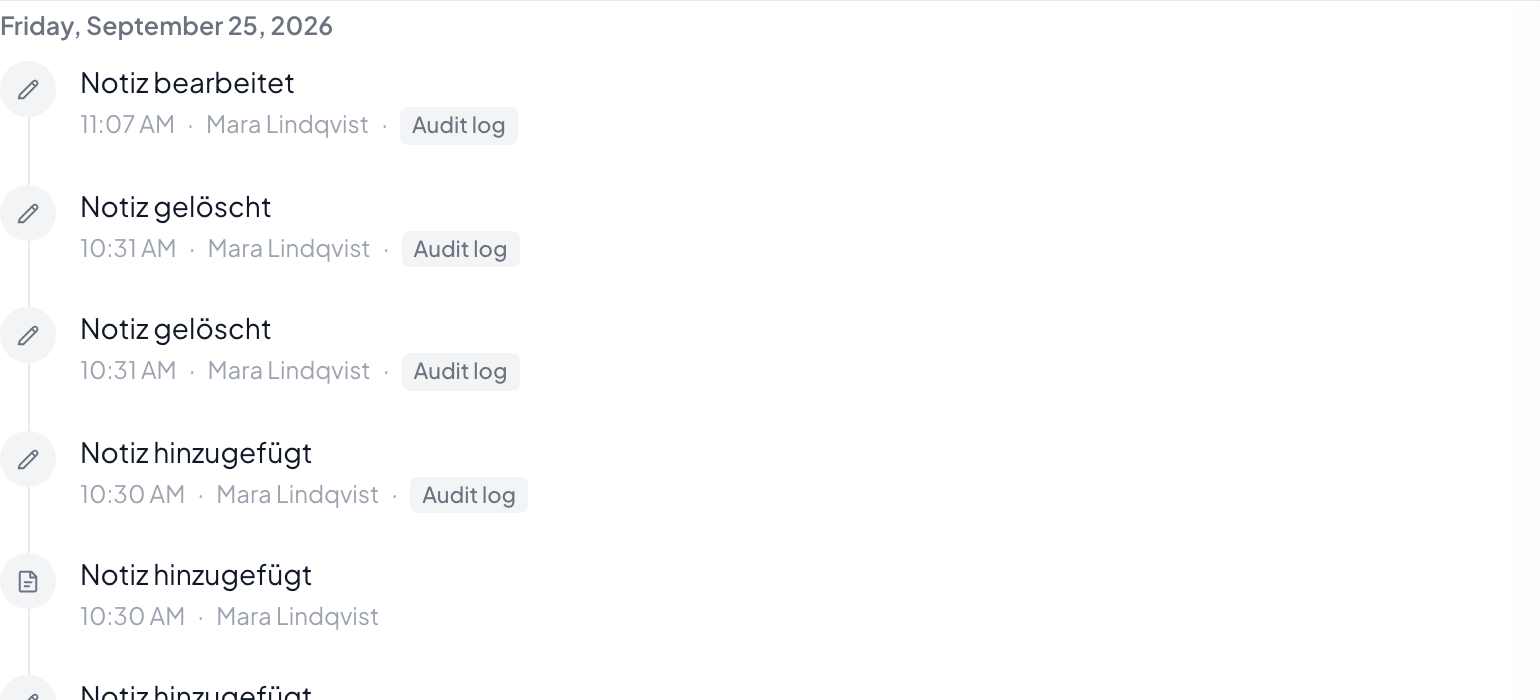
The order, when the clock does not help
One intake writes several entries with the same timestamp: create the record, add a note, set the stage, plus the automation that runs in the same pass. Sorted by time they would appear in random order. The history therefore records the order things actually happened in.
Not to be confused with the change log
The history belongs to a record and answers what happened to this case. The change log in settings belongs to the account and answers who changed the setup: fields, roles, access, modules.
Step by step
- Open the record and switch to the History tab.
- The newest entry is at the top; Load older takes you further back.
- For an entry from an automation, the entry names which one it was.
Can I delete an entry?
No. A history you can remove entries from no longer answers any question reliably. A note can be edited, and that edit then shows up in the history itself.
Why is there no name on a change?
Then it was not a person but an automation, the API or a schedule. The kind stands there instead of a name.
Do I see changes to sensitive fields?
That something changed, yes. The value itself is redacted when the field is marked sensitive, see Field types.
How far back does the history go?
As far as retention allows. What is set for it is under Retention.