Calculate
1 min read · By Stefan Köhn
Works with numbers or with dates and writes the result into a field. The second case is the more common one: delivery date plus fourteen days gives the deadline that governs everything after it.
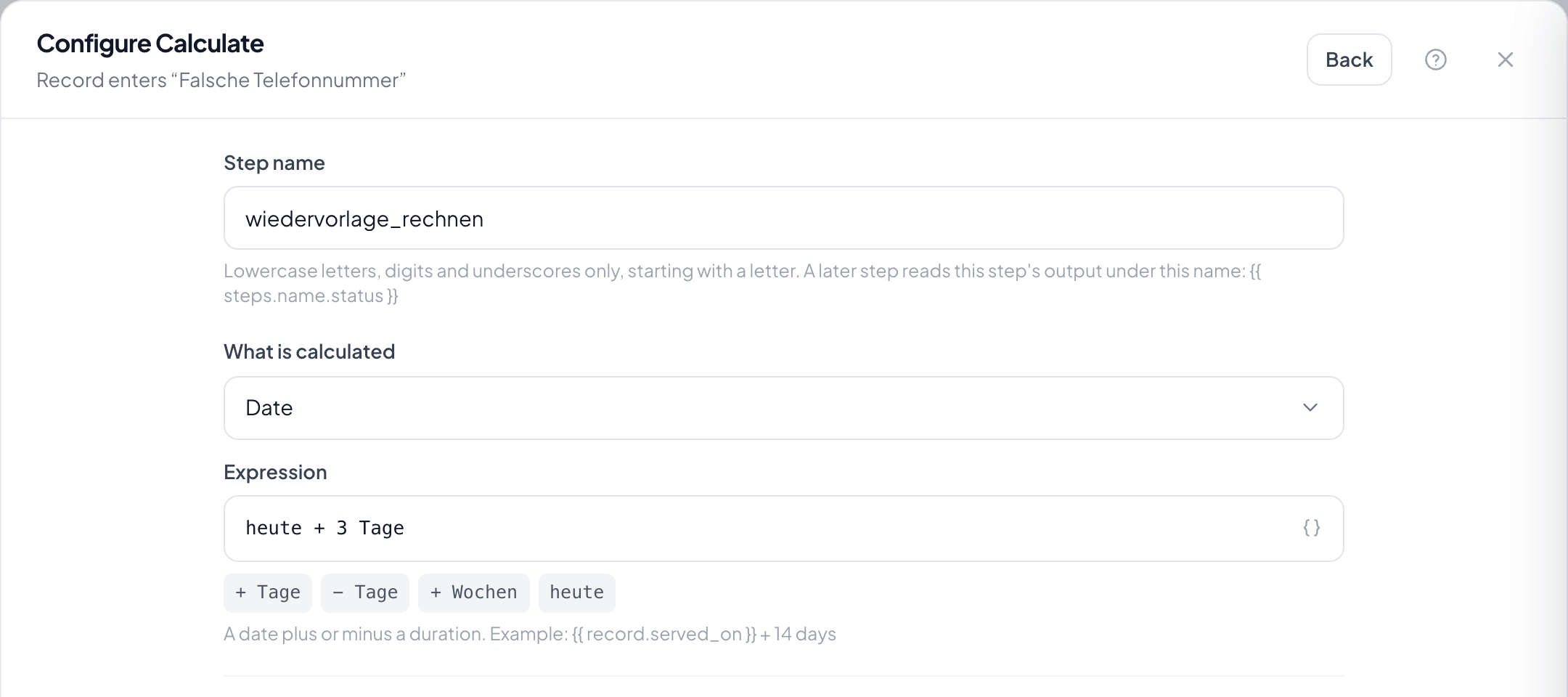
Step by step
- In the flow, choose the plus and take Calculate.
- Under What is calculated choose between numbers and date.
- Enter the calculation: for numbers arithmetic and brackets, for dates a date plus or minus a duration. Field values come in as variables.
- Choose the target field the result is written into.
- Save and check the arithmetic on a record whose source field is filled.
What happens if the calculation fails?
The run does not abort. The step reports the error and the following steps carry on: an automation should not get stuck on an empty field.
What if the source field is empty?
There is no result and the target field stays as it was. To rule that out, put a filter on is not empty before it.
Can I calculate with a date and a number from a field?
Yes. Both sides of the calculation may be variables: a date field plus the days from a number field, for instance.
In what format does the result appear?
In the format of the target field. A date field takes the date, a number field the number. For a particular spelling in text, use Reformat text afterwards.
Does the step work with times of day?
With date fields that carry a time, yes. With plain date fields the day counts.