Delete
1 min read · By Stefan Köhn
Moves the record to the bin and ends the run. The one action that running again cannot heal: which is why it only takes effect once it has been confirmed explicitly.
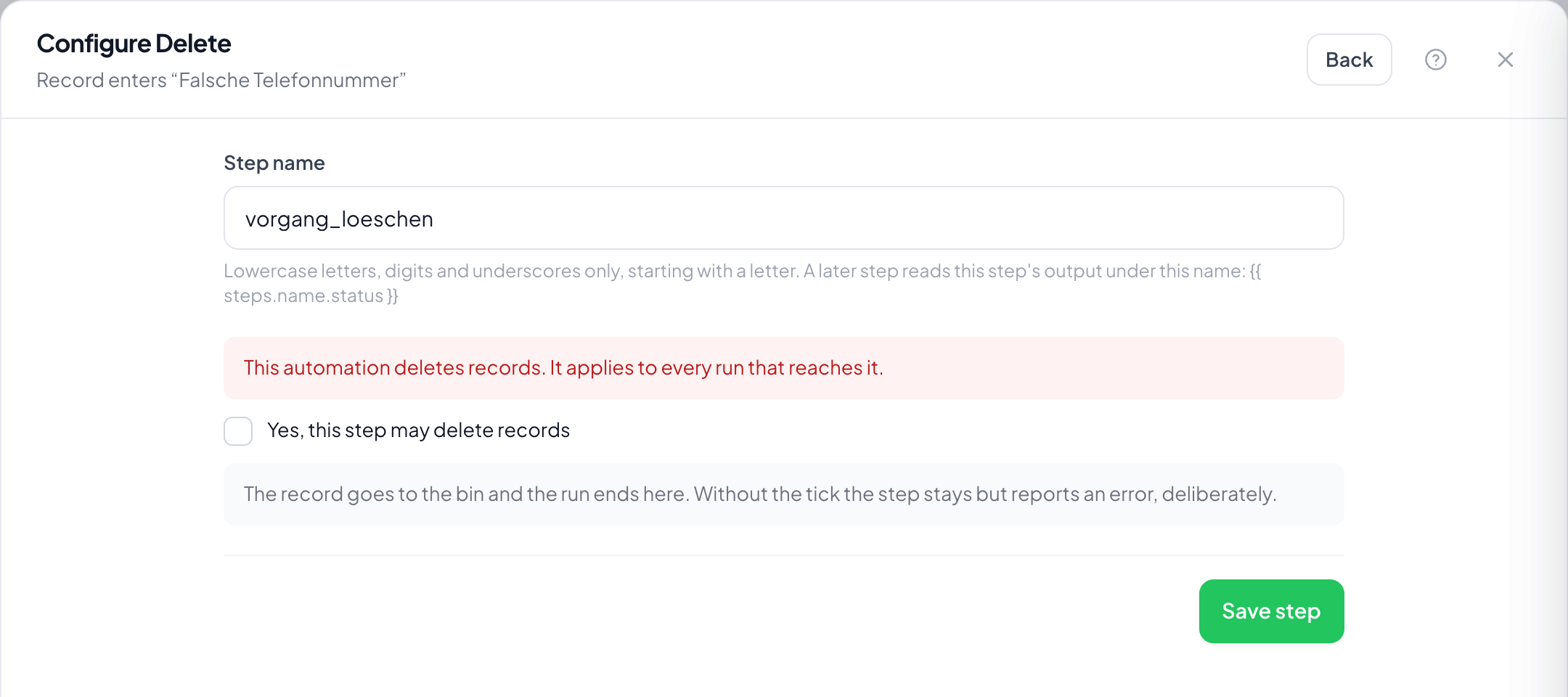
Step by step
- In the flow, choose the plus and take Delete.
- Read the warning: the step takes effect on every run that reaches it.
- Tick Yes, this step may delete records. Without the tick the step reports an error instead of deleting.
- Put a filter before it that narrows the cases down: deleting without a condition is almost always too much.
- Save and leave the automation switched off until a trial has confirmed the selection.
Why the extra confirmation?
So that a delete step added by accident does not strike on the first run. Without the tick it stands there and reports an error: deliberately.
What about the steps after it?
They no longer run. There is nothing left for them to refer to, and the run ends here.
Can this be undone?
The record sits in the bin and can be restored from there until the retention run removes it for good. After that it is gone.
When should I use Archive instead?
Almost always. Archiving tidies the view just as well and keeps the case. Delete is for data that must not stay.
How do I check beforehand which records would be affected?
With the same filter on the board: rebuild the filter step's condition there and look at the matches before switching the automation on.