Sitting too long in stage
1 min read · By Stefan Köhn
Checks once a day which records have been sitting in a stage longer than allowed. The trigger against quietly going nowhere: it works exactly where nobody does anything and so no event occurs.
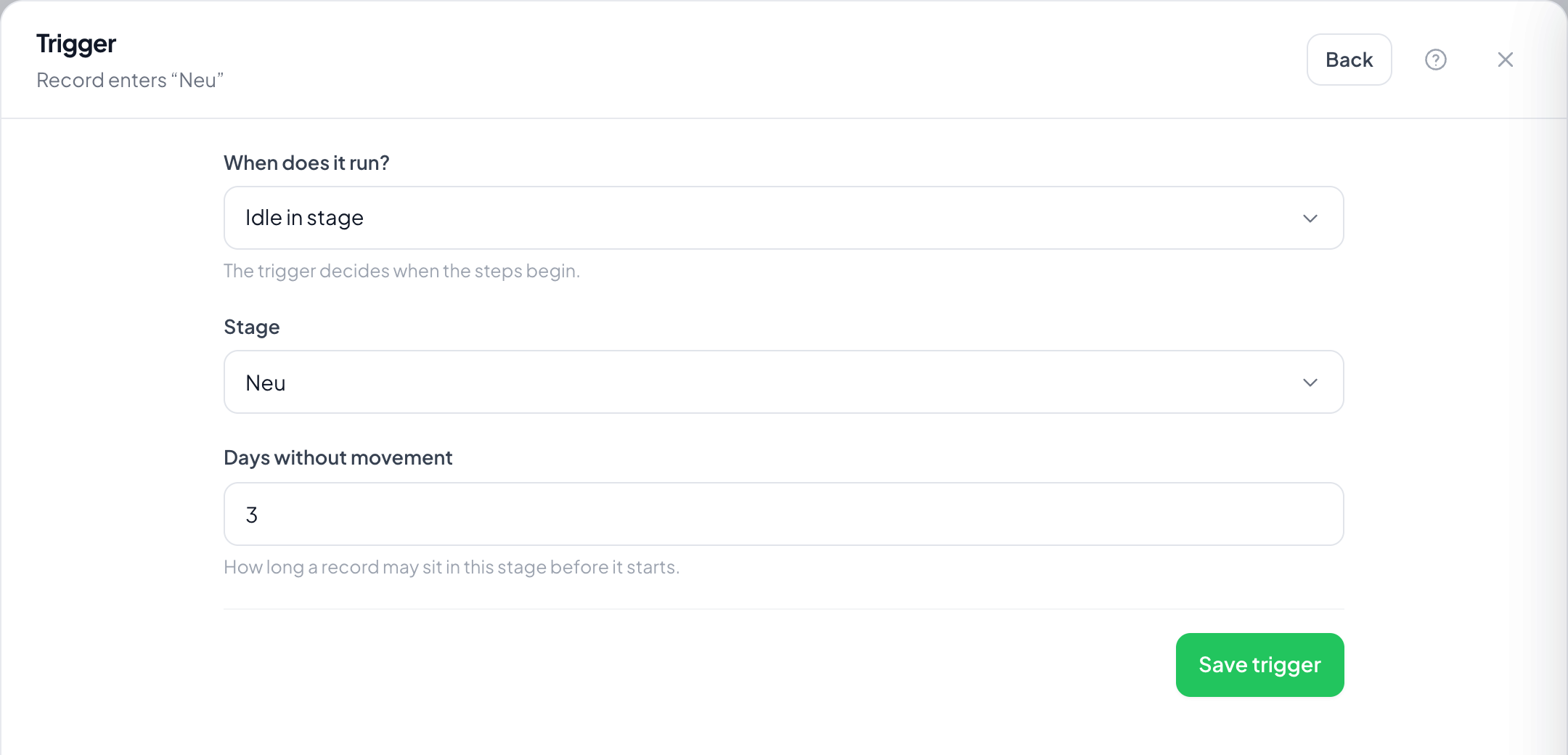
Step by step
- On the Records page open Automations through the menu at the top right, choose Create automation and take Sitting too long in stage as the trigger.
- Pick the stage and set the limit under Days without movement.
- Switch on Once per record: otherwise the trigger fires again every day.
- Save the trigger, set the steps, switch it on.
- The next day, check in the inspector under Runs which records were caught.
From when do the days count?
From entering the stage. A change resets the count, even if the record comes back later.
Does it fire again every day?
Without Once per record yes: sitting for five days is true tomorrow as well. With the switch it stays at one run.
Does editing count as movement?
No, only the stage change. A record with plenty of activity that still sits there is caught anyway: usually that is the point.
Why does nothing happen on the first day?
Because the check runs once a day. After switching on it takes effect on the next pass, not immediately.
Does it catch archived records?
No. What is archived counts as done and is not chased any more.