Send SMS
2 min read · By Stefan Köhn
Sends a text message to the record’s phone number. This is the step for the point where email stops working: someone who ignored three emails will ignore the fourth: a text lands in a different inbox and is almost always read.
Step by step
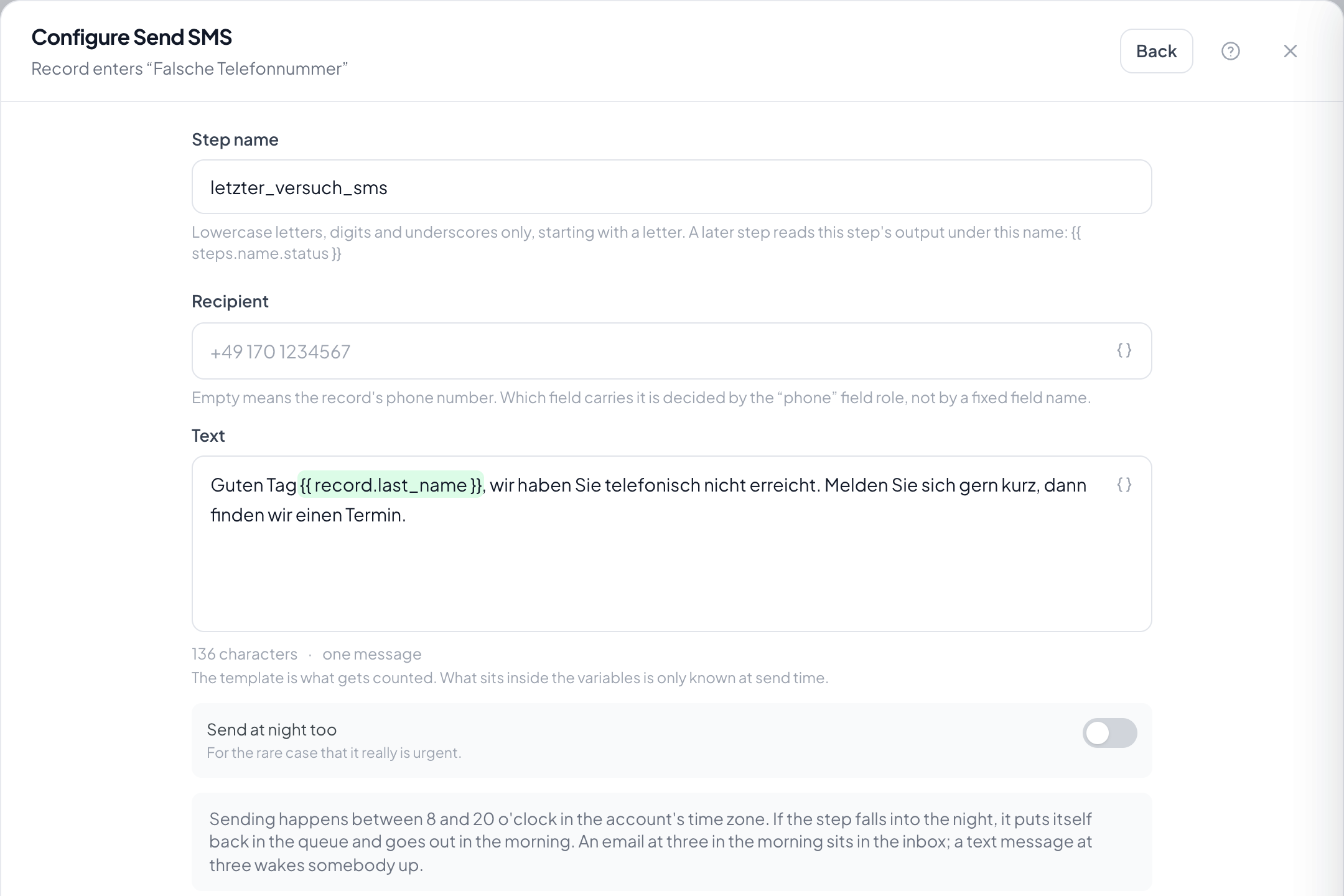
- Once: Settings → Account → SMS. Pick a provider, enter credentials and the sender ID, send a test message. Until then the step cannot be picked from the catalogue.
- In the flow: write the text. Variables such as '{{ record.last_name }}' work just like in email.
- Leave the recipient empty to use the record’s phone field. For a different number, type it in.
- The character counter below the text field shows how many messages your text becomes.
What does a text message cost?
Your provider bills it, not us: you supply your own account and pay there. The log records how many segments each message used; providers bill segments, not messages.
Why does my text suddenly become twice as many messages?
A single special character decides that. Without accented characters, 160 fit into one message; with an umlaut, a euro sign or an emoji, only 70: for the whole text, not just that character. The counter shows it as you type.
How must the phone number be stored?
However the contact typed it. 0170…, 0049…, +49 (0)170… are all normalised before sending. Anything that cannot be read as a number is skipped with a note instead of stopping the run.
Are messages sent at night?
No. Between 8 pm and 8 am the step waits until morning: an email at 3 am sits in the inbox, a text message wakes someone. You can switch the window off on the step.
What happens if the record has no phone number?
The step is skipped and the run continues: a missing number is a gap in the data, not an error. If the message is essential, put a condition in front of it.
Can I use a provider other than Twilio?
Twilio is built in today. Further providers are a small extension each: the platform is built so that switching changes nothing about your automations. Talk to us if you need a particular one.
Is there a limit?
Yes, 200 messages per account per day, adjustable on the account. A loop in an automation is embarrassing with email and an invoice with SMS.