Stage entered
1 min read · By Stefan Köhn
Starts as soon as a record arrives in a given stage: dragged, through an automation or through the API. The most used trigger: the state on the board is the natural place for something to happen.
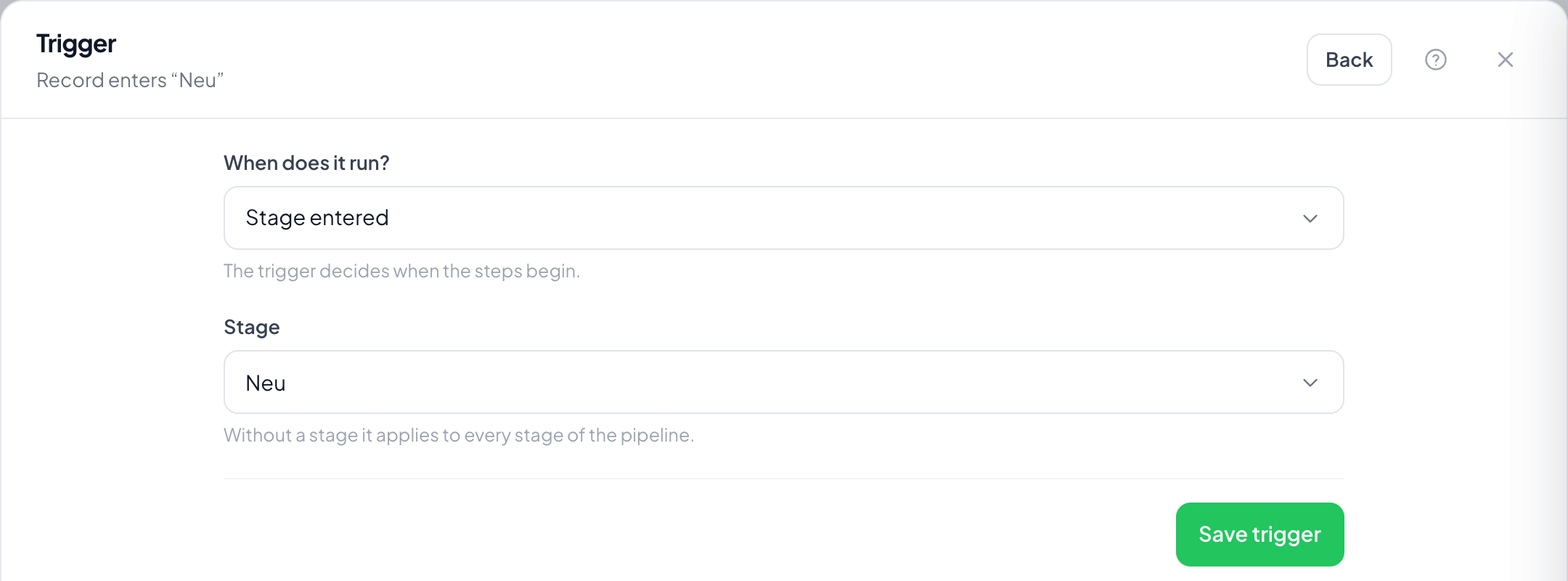
Step by step
- On the board, open the stage's menu and choose Automation: the trigger is then already set to that stage.
- Alternatively create an automation through the menu at the top right, choose Stage entered and pick the stage under Stage. Without a setting it applies to every stage of the pipeline.
- Save the trigger and set the steps.
- Switch it on and drag a card into the stage.
Does it fire when the record is created directly in that stage?
Yes. A record that comes into being in the stage has entered it.
And when another automation pushes it in?
Yes as well. Change stage takes the same route as dragging by hand, following automations included.
Does it fire again when the record comes back?
Yes, every entry counts. To prevent it, switch on Once per record.
What does the stage setting every stage mean?
The automation runs on every stage change within the pipeline. Useful for logging steps, rarely for messages.
Why does nothing happen although the card sits in the stage?
The trigger reacts to entering, not to sitting. For records already there, Sitting too long in stage is the right trigger.