Wait
3 min read · By Stefan Köhn
Pauses the run and continues later. Two settings, freely combined: how long, a fixed duration, a date from the record, or no limit, and what for, a condition on the record. That is how follow-ups, reminders and deadlines are built without a second trigger.
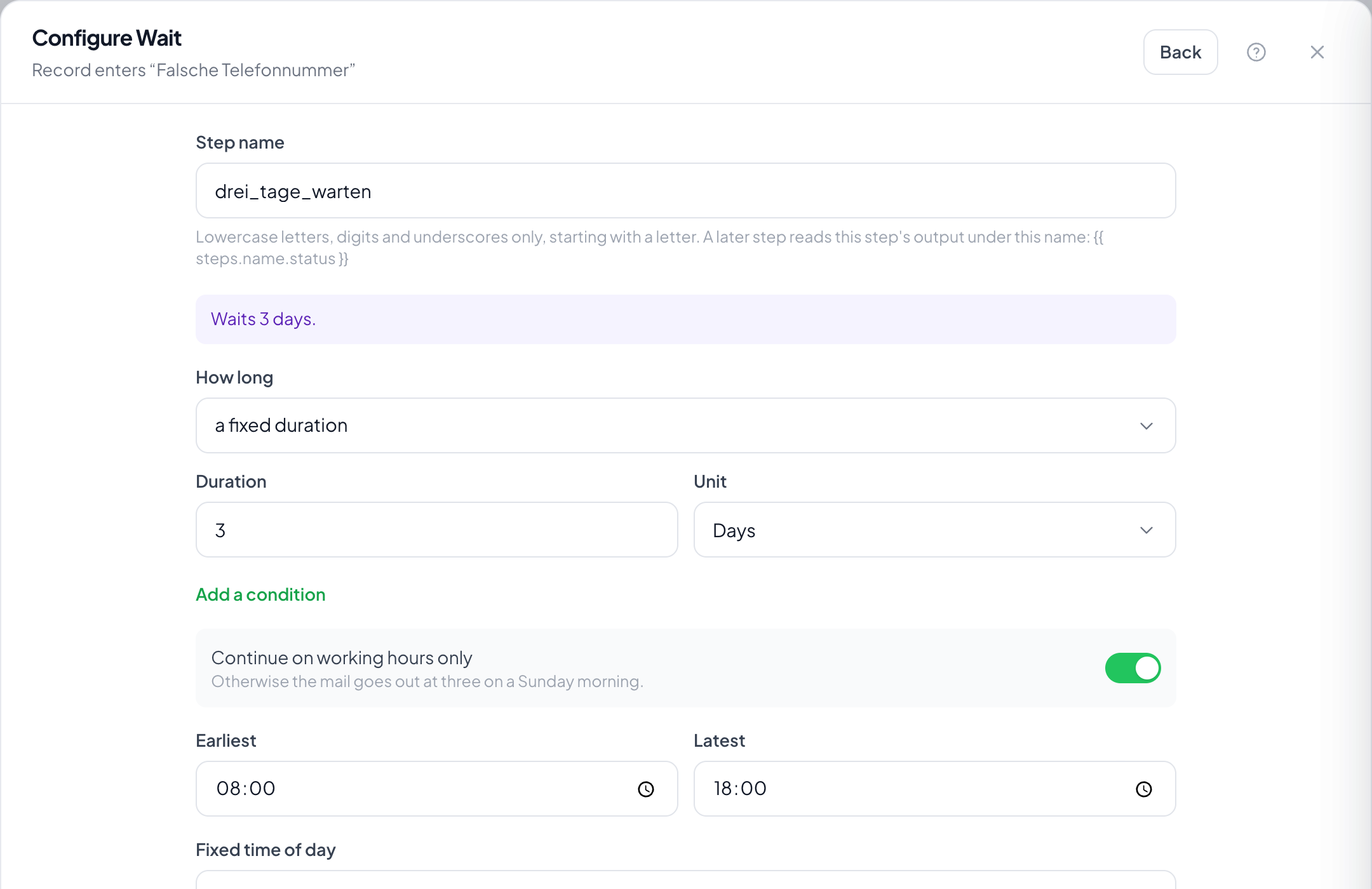
Step by step
- In the flow, pick the plus where the wait belongs and choose “Wait”.
- Under “How long”, choose a fixed duration or a date from the record; set amount and unit for the duration, or the field and the offset before or after for the date.
- If the wait is for something the record reports, an uploaded document, a field being set, choose “Add a condition” and describe it. “How long” then reads “At most”.
- With a condition, decide what happens when the time runs out: carry on anyway, or end the run.
- Turn on “Continue on working days only” if the message must not go out on Sunday at three in the morning.
- Save. The sentence at the top of the step reads as a whole instruction: it is the check that what you meant is what stands there.
When is the condition checked?
On every change to the record, and at least every twelve hours. So someone uploading in the morning does not wait until the evening. A wait without a condition sleeps through and wakes exactly at its moment.
Why not a wait followed by a filter?
Because that checks at fixed intervals instead of when it happens. And a filter ends the run when the condition does not hold yet: it does not wait.
What if the computed moment has already passed?
The run continues immediately and the step records it. A run waiting for a date from last week would otherwise stand still forever.
What happens when the time runs out and the condition never held?
You decide that in the step. “Carry on anyway” is the usual choice when a reminder follows; “End the run” when there is no going on without the answer. The step then shows as skipped in the inspector: not as a success, because what was awaited did not arrive.
How long may I wait at most?
365 days. More is refused: a run waiting over a year is nearly always a typo. For a genuinely open wait, choose “no time limit”: available only with a condition, because otherwise the run never ends.
What exactly does “Continue on working days only” do?
If the end of the wait falls on a weekend or outside the set window, it moves to the next working day within “Earliest” and “Latest”.
There used to be two steps, “Wait” and “Wait for event”. Where is the second one?
It was merged into this one (12 Sep 2026). Set a condition and you have the old “Wait for event”; set none and you have the old “Wait”. Existing steps moved over with their settings: there is nothing to set up.