Call external system
1 min read · By Stefan Köhn
Calls an external address and makes the response available to the following steps. The way to hand a record to another piece of software: and to use its answer.
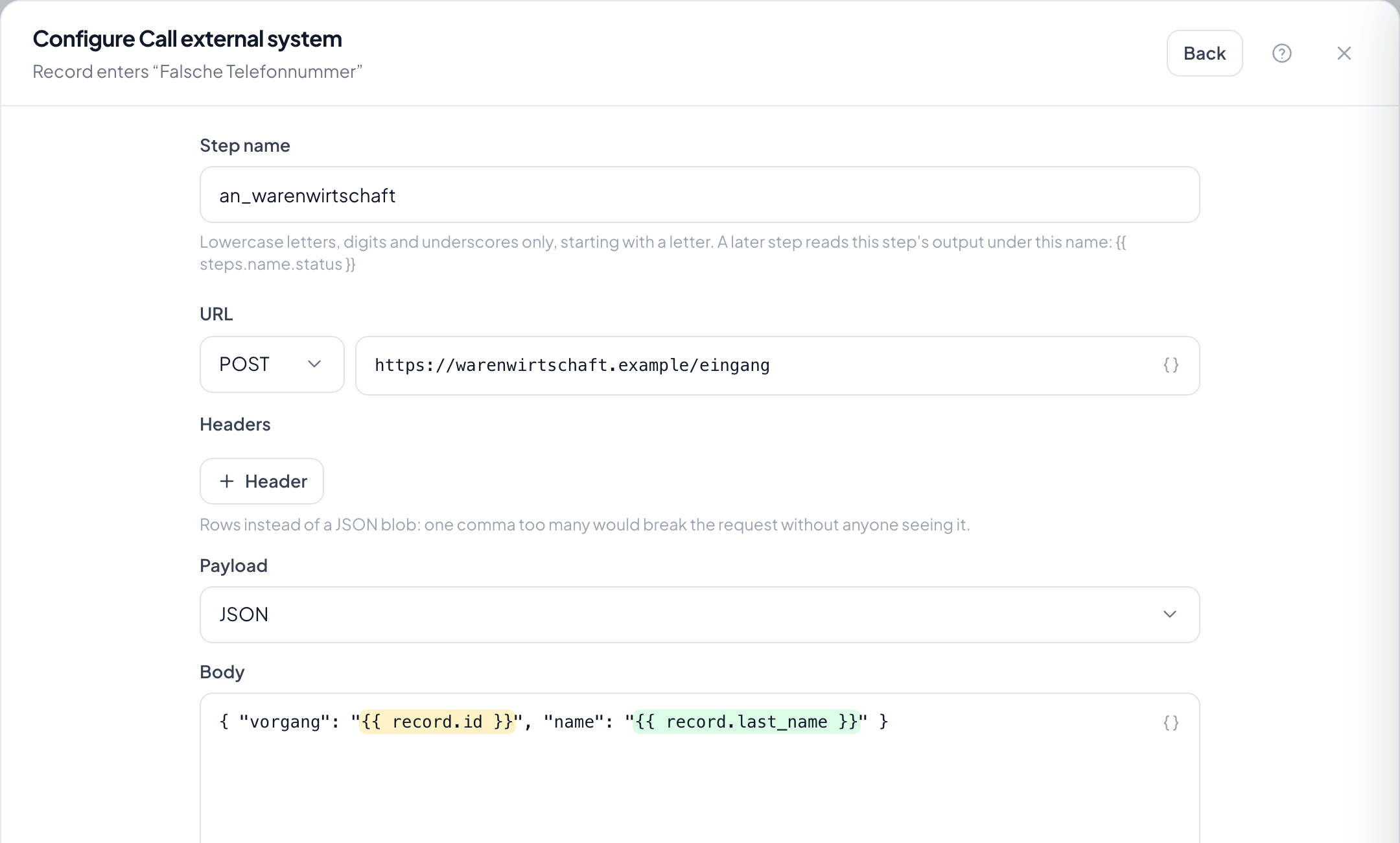
Step by step
- In the flow, choose the plus and take Call external system.
- Under Step name give it a meaningful name: a later step reads the response under that name.
- Enter the address and the method.
- Under Body write the payload, usually JSON. Variables are inserted JSON-safely; a quotation mark in a surname does not break the payload.
- Save and run it on a test record; the inspector shows the step's input and the response.
Can a following step read the response?
Yes, that is the reason the call happens inside the run. The step's name gives access to the fields of the response.
What happens if the external system does not answer?
The run halts here and appears under Stuck. On resume, steps already done are not repeated.
Is anybody waiting at a screen meanwhile?
No. The run works in the background; the call is synchronous only within the run, so that the next step knows the answer.
How do I secure the call?
Through the call's headers: that is where the credential belongs by which the external system recognises the caller.
Can I send a file along?
The step sends the body you enter. For a file, pass its address; the external system then fetches it itself.