Bulk email to many at once
2 min read · By Stefan Köhn
A campaign goes out once, to many. That is what separates it from an automation, which writes to one person in response to an event. You put together the audience, write the text and send it.
Once to many, not continuously to one
An automation reacts: a record appears, someone gets a message. A campaign acts: you decide today that this set gets something today. For anything that should happen regularly and per case, the automation is the right tool.
Five states, one path
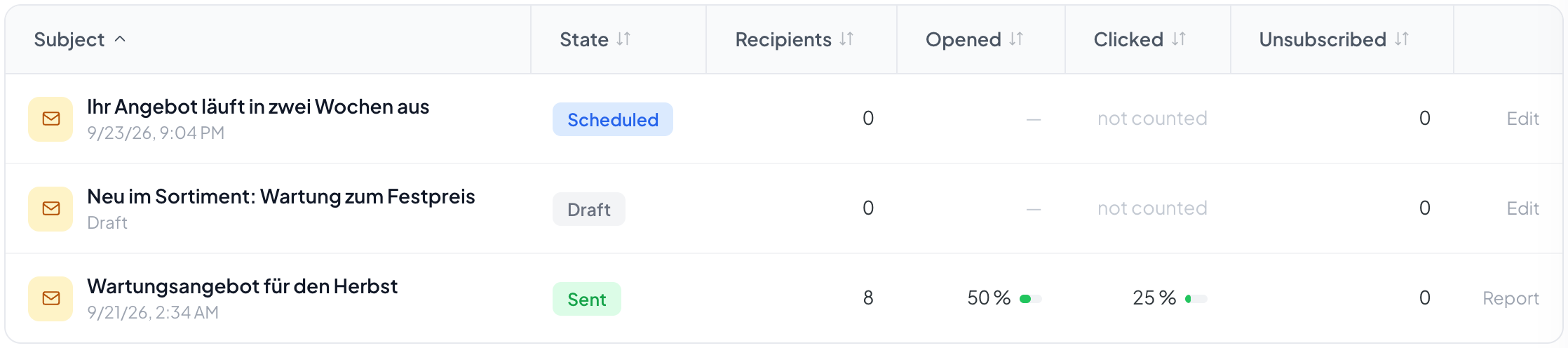
Draft, Scheduled, Sending, Sent. Alongside them Stopped, if you halt a send in progress. From a draft you can go back at any time; once sending starts you cannot.
There is no recall
Stopping works while sending is under way, and it takes effect between two batches. What has gone out stays out. A Recall button would be a promise no software can keep once a mail has left your own server.
What has to be in place first
An outgoing mail account for the account, or the campaign would come from an address nobody recognises. And the marketing consent field role, because nothing goes out without consent recorded. See Field roles.
Step by step
- Under Campaigns, choose Campaign and write the subject.
- Put the audience together with the same conditions you use in the record list.
- Write the text and insert variables.
- Under Check and send, read the numbers and set the time.
- After sending, look at the report.
Why can I not send?
Usually the account's sending setup is missing. The page says so and leads to the settings, see Outgoing mail.
Can I copy a campaign?
You can keep editing a draft as long as it has not gone out. For a repeat you create a new one; the old one stays as a report.
Can I see on the record that it got a campaign?
Yes. Every delivery appears in the history of the record it concerns.
What happens to records with no email address?
They drop out of the recipient list and appear in the funnel under no email address. See Audience.
Do I need the CRM for this?
No. The audience builds on the core filter. Without the CRM only the stage condition is missing; you still filter by fields.