Tracking and Analytics

Last updated: 2026-05-13
Sidebar > Campaigns > [Campaign] > Stats

Where to find it

Sidebar > Campaigns > [Campaign] > Stats

Tracking and Analytics

Once a campaign sends, Leadflip tracks every delivery individually. This article explains the numbers you see and how the tracking works.

The stats panel

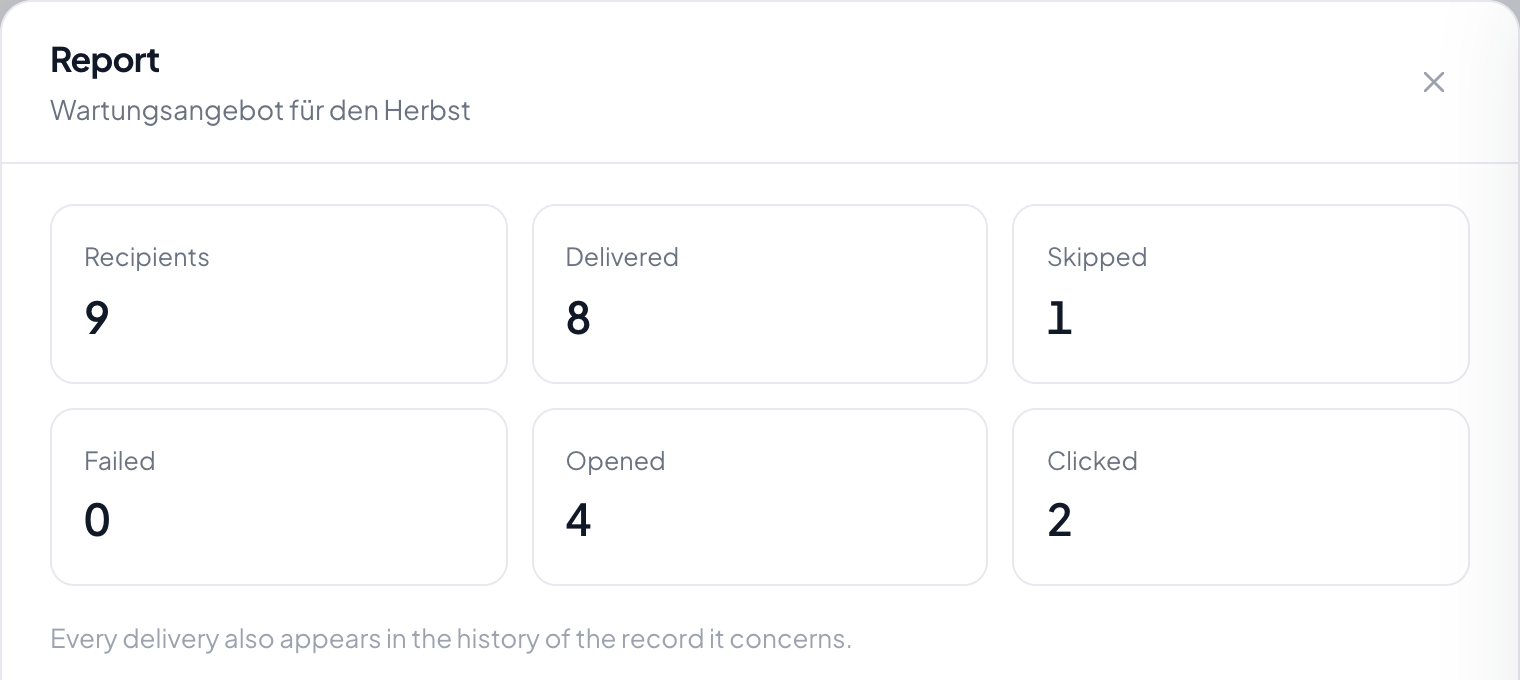
Open any sent campaign. The stats panel shows five numbers:

Stat What it counts
Total The audience size at send time.
Sent Deliveries that left your SMTP server successfully.
Failed Deliveries that failed to send (missing email address, SMTP rejection, etc.).
Opened Unique leads who opened the email at least once.
Clicked Unique leads who clicked at least one link in the email.

Opens and clicks are deduplicated per lead. A lead who opens the email five times still counts as one opened. Same for clicks.

Campaign stats panel

How open tracking works

Every campaign email includes a 1×1 transparent tracking pixel at the bottom. When the recipient's email client loads images, that pixel makes a request to your Leadflip server, which records the first open and increments the campaign's opened counter.

Caveats

Open tracking is reliable in aggregate but unreliable per individual email:

  • Apple Mail Privacy Protection pre-fetches the pixel for many users, so an "open" can be registered even if the user never actually saw the email.
  • Plain-text-only clients never load the pixel. Real opens go untracked.
  • Image-blocking (corporate firewalls, "Display images" off) hides the pixel. Real opens go untracked.

Treat open rate as a directional signal between campaigns rather than an absolute truth.

How click tracking works

Every <a href="..."> link in the email body is rewritten to route through https://www.leadflip.net/t/c/{deliveryId}. When the recipient clicks, Leadflip records the click and 302-redirects to the original URL.

Click tracking is much more reliable than open tracking because it requires explicit user action. The lead really did click.

What is NOT wrapped

These link types pass through untouched:

  • mailto: links
  • tel: links
  • Anchor links (#section)
  • The unsubscribe link itself

Per-lead delivery records

Every delivery also creates a record on the individual lead's activity timeline. Open any lead in the CRM and look at the timeline:

  • You'll see an event with a megaphone icon: Campaign: {Title} and the rendered subject line.
  • When the lead opens the email, the same event picks up an "Opened" badge.
  • When the lead clicks a link, the same event picks up a "Clicked" badge with the destination URL.

This is the per-lead view of what the aggregate stats panel shows. It's useful when you need to check whether a specific high-value lead has engaged with your last few campaigns.

Campaign delivery on a lead's activity timeline

Reading the numbers

A few rules of thumb when reviewing campaign performance:

  • Sent ≠ Delivered. "Sent" means your SMTP server accepted the email. It does not guarantee the recipient's inbox accepted it. A campaign with 1,000 sent and 50 opens could mean low engagement or it could mean spam-filter rejection.
  • Failed indicates structural issues. If Failed is more than 2–3% of Total, something is wrong: missing email addresses in your data, SMTP throttling, blocklist issues, or domain reputation problems.
  • Open rate above 60% is suspicious in either direction. Either the audience is unusually engaged (great), or Apple Mail Privacy Protection is inflating the number.
  • Click rate is the more honest metric. A click is a real action by a real person.

What the stats don't tell you

  • Reply rate. Replies go to your inbox and are not tracked by Leadflip.
  • Inbox vs. spam folder placement. Track this externally with a tool like Postmark, Mailgun, or a deliverability monitor.
  • Forward / share. Email forwards are invisible to the tracking pixel.

Workflow triggers (coming soon)

When a lead opens or clicks, Leadflip internally dispatches CampaignEmailOpened and CampaignLinkClicked events. In a future release, you'll be able to wire these into Automation rules to do things like "If a lead clicks the link in our pricing campaign, move them to Hot Lead stage." The events fire today; the automation hookup is on the roadmap.

Related articles

Was this helpful?
Thanks for your feedback!

Try Leadflip for free

Start capturing and managing leads in minutes.

Sign up free