Sending SMS
2 min read · By Stefan Köhn
For SMS you bring your own account with a provider and settle up there. The application sends through it; it does not sell messages.
Your account, your bill
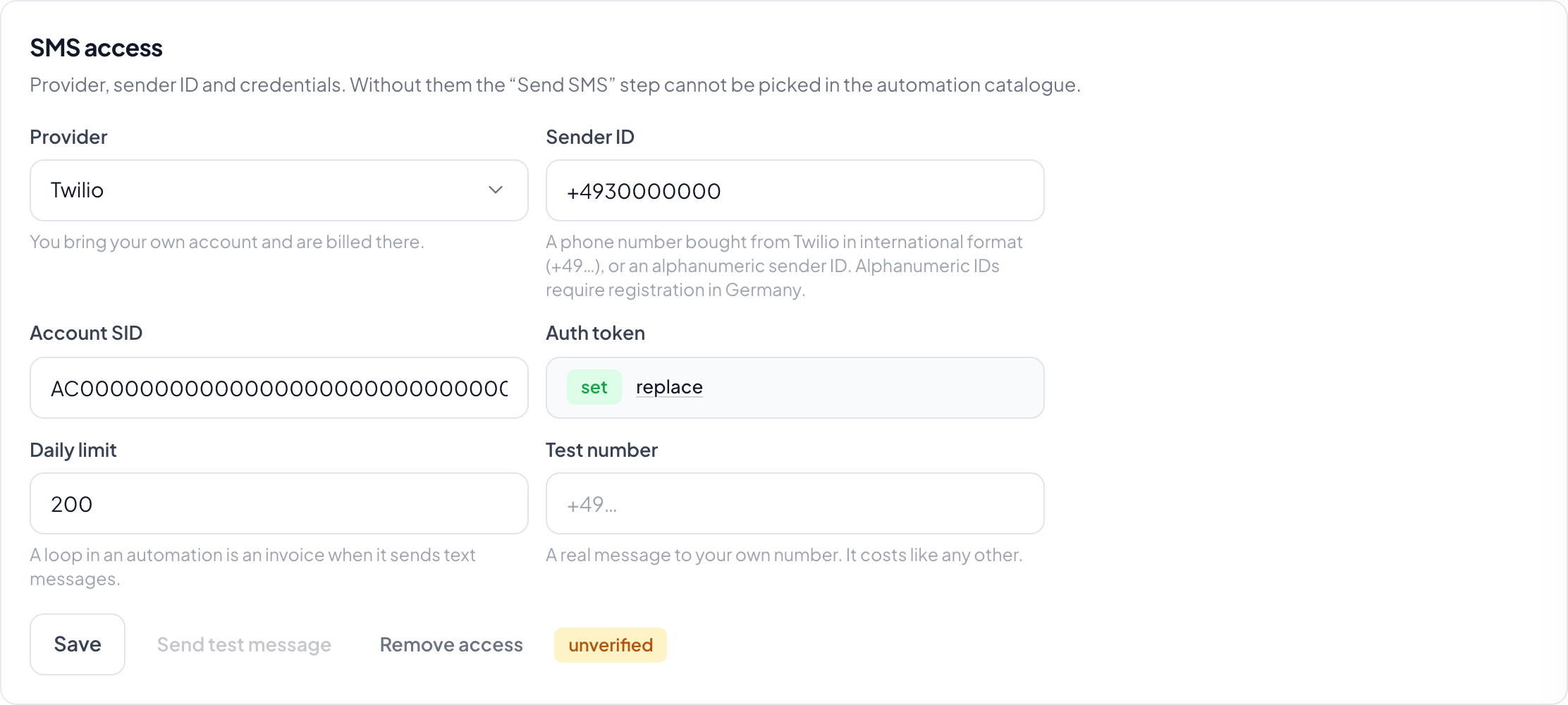
You enter the provider, the credentials and the sender id. Whatever goes out appears on your bill with the provider. A half filled account does not count: without a provider, without a sender id or without one of the required fields it counts as absent.
The daily cap is not decoration
A loop in an automation is annoying with email and a bill with SMS. The daily cap is the brake against it. Set it to a number your normal operation stays comfortably below.
The test message is real
The test goes to your own number and costs like any other message. That is deliberate: a check that sends nothing does not check whether a message arrives.
Step by step
- Open Settings, Account, the SMS tab.
- Pick the provider and enter the credentials.
- Set the sender id and the daily cap.
- Save, then send a test message to your own number.
Do I need SMS at all?
Only if you want to send them. The step Send SMS requires this setup; everything else runs without it.
What happens when the cap is reached?
No further messages go out that day. That is the point: better an automation that stops than a bill nobody expected.
Why is a number rejected?
Numbers are brought into a single shape before they go out. Anything that cannot be read as a phone number is rejected rather than quietly disappearing.
Does checking cost money?
The test message does, like any SMS with your provider. Saving the credentials does not.