Seeing replies on the record
2 min read · By Stefan Köhn
Whoever is written to from your mailbox replies to it. For the reply to land on the record rather than only in your mail client, the application fetches from the mailbox.
The correspondence belongs in one place
Without incoming mail the question sits on the record and the answer in a mailbox. Anyone looking at the case later has half of it. Fetched replies appear as a note of the Email kind, marked as incoming.
Two kinds of mailbox
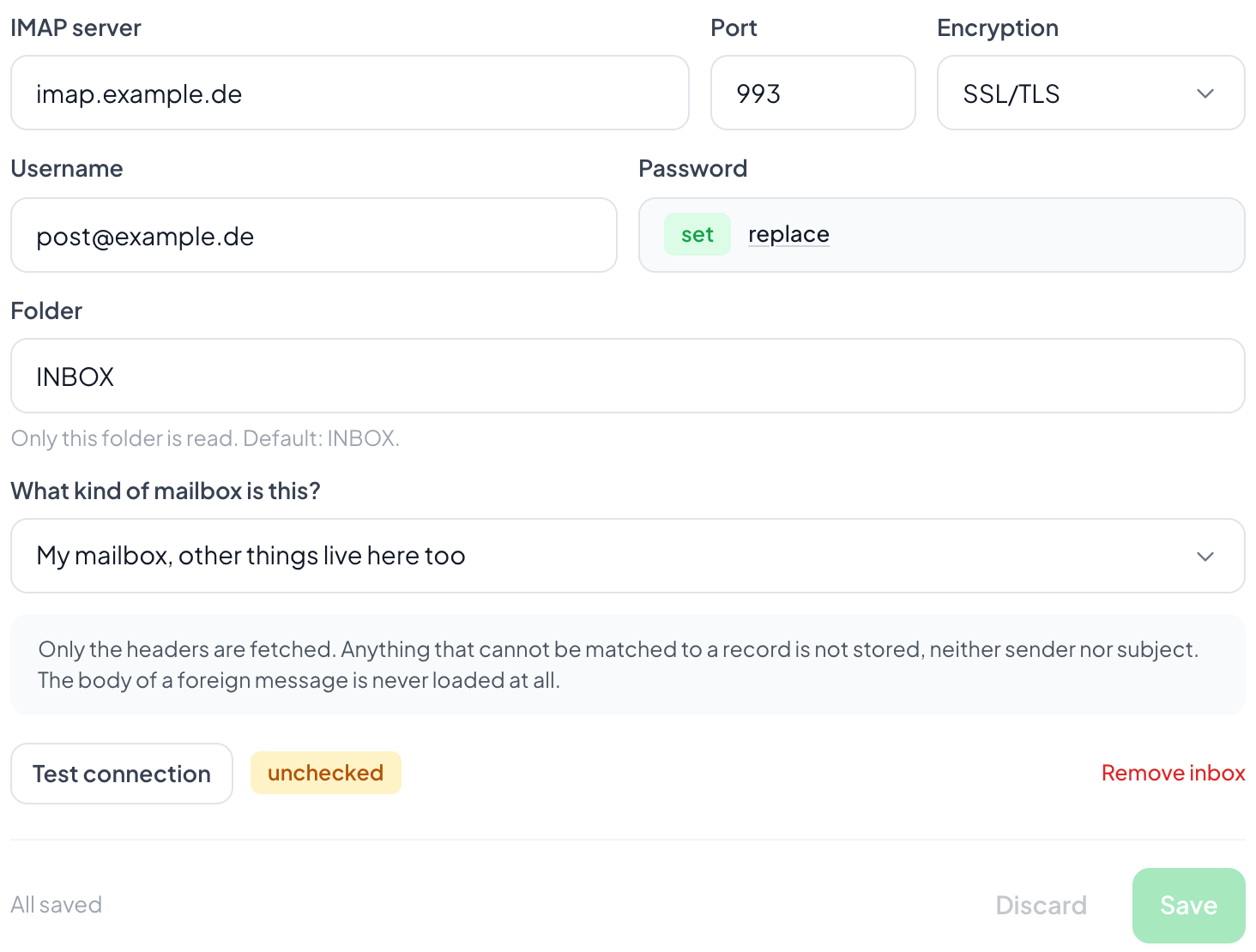
A mailbox used only for this system, or your personal one where other things live too. The difference decides how carefully it is read: from a mixed mailbox not everything may become a record just because it is sitting there.
How a reply is recognised
An outgoing message carries a marker in its subject. When it comes back in the reply, the match is unambiguous. If it is missing because someone wrote a fresh subject, matching falls back on the address, and for that the field has to carry the email role. See Field roles.

Only one folder is read
INBOX by default. Anyone with a rule in their mail client sorting replies into a folder of their own enters that one. Only there is read, and nothing is deleted.
Step by step
- Open Settings, Account, the Outgoing mail tab, the section for incoming mail.
- Enter IMAP server, port, encryption and credentials.
- State whether it is a dedicated or a mixed mailbox.
- Save, then choose Check connection.
Are my mails deleted or moved?
No. The folder you name is read, nothing is changed.
Does all of my post end up in the application?
No. What gets matched is what can be matched to a record, through the subject marker or the sender address. Anything fitting nothing is left alone.
The check succeeded but nothing arrives.
Then the folder is probably wrong, or a rule in your mail client sorts replies elsewhere. The check only reports that signing in worked; nothing is read during it.
Can I use incoming mail without outgoing mail?
It rarely makes sense. What gets fetched are replies to what went out; without your own sending there is little to reply to. See Outgoing mail.